
Starlink Outages NZ: Your Guide to Staying Connected
Are Starlink outages NZ affecting you? Understand why they occur and discover proven backup communication strategies to keep your business running.
While Starlink has been a game-changer for getting satellite internet NZ businesses and rural communities connected, it’s not invincible. As we’ve seen recently, Starlink outages in NZ are a real thing. They can pop up without warning, often due to complex software glitches deep within the global network, leaving you completely offline. It’s not always about a storm brewing overhead.
So, Why Do Starlink Outages Actually Happen in NZ?
Starlink has certainly redefined what’s possible for internet access across New Zealand, but no technology is bulletproof. Understanding why it goes down involves looking beyond simple explanations. The whole system is a finely tuned dance between thousands of satellites, a network of ground stations, and incredibly complex software—if any one of those parts stumbles, the whole thing can falter.
For businesses in critical sectors like construction, maritime, and agriculture, getting to grips with these weak spots is ESSENTIAL. You need to know exactly what you're dealing with before you stake your entire operation on it. For a refresher on the basics, you can check out our simple guide on what Starlink is and how it works in NZ.
What a Starlink Outage Looks Like
When Starlink goes down, it’s rarely just your dish. The most disruptive events are often global, knocking out thousands, or even hundreds of thousands, of users all at once. The usual suspects include:
-
Network Software Gremlins: The entire satellite constellation is run by a sophisticated software control system. One bad line of code or a flawed update can create a massive headache for everyone.
-
Ground Station Trouble: Starlink’s satellites need to talk to the wider internet, and they do that through a network of ground stations. If one of these crucial hubs has a problem, it can take out service for an entire region.
-
Something in the Way: At a local level, anything that blocks your dish's view of the sky can cut you off. Think fast-growing trees, a new building next door, or even a heavy dump of snow on the dish itself.
-
Network Overload: As more people in your area jump onto the network, things can get crowded. This congestion can slow speeds to a crawl or cause intermittent dropouts that feel just like a full-blown outage.
A Look at Real-World Glitches
It’s not just theory; we’ve seen this happen. On July 24, for example, Starlink users across New Zealand were hit with a massive 2.5-hour global outage right in the middle of the morning. SpaceX's VP of Starlink Engineering, Michael Nicolls, later confirmed it was caused by a critical failure in their internal software, which sent terminals into an endless loop of trying to reconnect.
Incidents like this really drive home why having a solid backup is NON-NEGOTIABLE for business. Dependable alternatives like the rugged UHF radio NZ crews use from brands like Tait or Hytera, or a reliable satellite phone service, become absolutely essential for continuity. You can read more about this particular widespread outage in RNZ's coverage.
Often, the first sign of trouble comes from community-driven tools. Take a look at this snapshot from Downdetector NZ.
That sharp spike in user reports is a dead giveaway that the problem is widespread, not just an issue with your own gear. Knowing this helps you stop wasting time troubleshooting your own setup and switch straight to your backup plan.
The Real-World Impact of an Outage on NZ Businesses
When Starlink goes down, the impact is immediate and often severe, especially for industries working in the remote or rural parts of New Zealand. A dropped connection isn't just a minor hassle; it's a CRITICAL FAILURE that can stop productivity in its tracks, create serious safety risks, and lead to significant financial losses.
For these businesses, a reliable internet connection is the central nervous system of their day-to-day work.

On the Construction Site
Picture a construction site manager deep in the Mackenzie Basin. Their entire operation is built around cloud-based systems. A sudden Starlink outage in NZ means they instantly lose access to digital blueprints, safety checklists, and the real-time apps they use to coordinate their team.
Work stops.
Heavy machinery operators can't get their next set of instructions, deliveries can't be confirmed, and crucial progress reports can't be filed. The whole site is effectively paralysed, with a full crew on the clock but unable to do their jobs. This isn't just lost time; it's a direct hit to the project's budget and timeline. For communication that doesn't rely on the internet at all, the best uhf radio nz teams can find becomes an essential lifeline.
At Sea and in the Backcountry
The situation gets even more serious for those operating at sea or in New Zealand’s rugged backcountry. A fishing vessel off the Coromandel coast relies on satellite internet NZ for critical, up-to-the-minute weather data. An outage leaves them flying blind, unable to see developing storms and creating a massive safety risk.
It's a similar story for a remote forestry crew in the Kaweka Range or a tourism operator in Fiordland. Without a connection, their operations can shut down completely. They can't:
- Coordinate logistics for crew movements or guest services.
- Access safety protocols or emergency contact information.
- Process payments or manage bookings, which directly hits their revenue.
- Communicate with base operations, leaving lone workers isolated and vulnerable.
In these environments, an internet outage is more than a business problem—it's a serious safety incident waiting to happen. The inability to call for help or coordinate a response can have life-or-death consequences.
The True Cost of Downtime
The financial hit from an outage goes well beyond just paying staff who can't work. It includes project delays, potential contract penalties, and damage to your reputation. When clients can't get hold of you or services are suddenly unavailable, their confidence disappears FAST.
This highlights a critical reality for any business working outside of the main urban centres. Relying solely on one provider for your connectivity is a high-stakes gamble. A momentary glitch in a satellite network can unravel an entire day's—or even a week's—worth of work.
That’s why building a resilient communication strategy with solid backups isn't just good practice; it's essential for survival. Having dependable alternatives like a satellite phone, a professional walkie talkie NZ system from brands like Hytera or Motorola, or even the best portable radio NZ has to offer is the only way to guarantee you can keep working. These aren't just add-ons; they are FUNDAMENTAL tools for managing the very real and costly impacts of a Starlink outage.
How to Figure Out if Starlink is Down
When your internet cuts out, the first question is always the same: is it me, or is it them? Getting to the bottom of it quickly is the key to getting back online, or at least knowing what your next move should be. Here’s a practical, step-by-step guide to diagnosing a potential Starlink outage in NZ so you can get answers fast.
First things first, check the obvious. Before you start diving into apps and websites, take a quick look at your physical gear. Are all the cables plugged in snugly? Is the power definitely on? It sounds almost too simple, but you’d be surprised how often a loose connection is the real culprit.
Next, have a look at your dish. It needs a massive, clear view of the sky to lock onto those satellites whizzing overhead. Things like overhanging tree branches, a new building next door, or even a thick layer of snow can block that signal.
The Starlink App is Your Best Friend
Your most powerful tool for troubleshooting is the official Starlink app on your phone. Pop it open and look for any alerts right at the top of the screen. Starlink is actually pretty good at flagging problems here, whether it’s a known network issue or something specific to your dish, like an obstruction it’s detected.
The app also gives you some handy data to dig into.
-
Check the 'Outages' Log: This log tracks every little disconnection. If you see a long list of short, recent dropouts, it might be a sign of an unstable link. This could be caused by those minor obstructions we talked about or some intermittent network trouble.
-
Look at the 'Obstructions' Map: This gives you a visual map of what your dish can see. Any red areas are blind spots – blockages that are likely causing your connection to drop.
If the app isn't showing any local problems and your setup looks fine, the issue is probably bigger than just your place. It’s likely a problem with the wider Starlink network itself.
Checking for Widespread Issues
When your own gear checks out, it’s time to see if anyone else is having the same problem. This is where you turn to the community.
The fastest way to confirm a widespread Starlink outage is to jump onto a third-party status site like Downdetector. These sites work by crowdsourcing problem reports from users just like you. A sudden spike in reports is a DEAD GIVEAWAY that there's a major network failure.
Online forums and social media groups for satellite internet NZ users are also goldmines of information. A quick search will usually bring up posts from others in your area who are seeing the same thing, confirming the problem isn't on your end.
By working through this process—checking your physical gear, then the app, then the community—you can quickly figure out what’s gone wrong. This lets you stop wasting time troubleshooting a problem you can’t fix and switch over to your backup comms plan, keeping your operations running smoothly.
Building a Resilient Communication Strategy
For any Kiwi business, relying on a single connection is a high-stakes gamble. While satellite internet NZ services like Starlink are incredibly powerful, outages are a real thing. This is exactly why a backup plan isn't just a nice-to-have—it's ESSENTIAL for keeping the lights on.
This is where the idea of ‘communication redundancy’ comes in. It’s all about building a smart, multi-layered plan that makes sure your operations NEVER go dark, even when your primary connection takes a dive. The goal isn’t to replace Starlink, but to back it up with a mix of technologies that shine in different situations.
Creating a Multi-Layered Plan
Think of it like building a safety net. A well-designed strategy anticipates that things can and will go wrong, and it provides an immediate, reliable alternative when they do.
Imagine Starlink as your high-speed motorway for data-heavy tasks like video calls and cloud software. When there’s a pile-up (an outage), you need alternative routes to keep things moving. These B-roads might be slower or serve a different purpose, but they get you to your destination.
A solid layered approach for a New Zealand business often looks something like this:
- Primary Layer (Data): Starlink for high-speed internet, handling your main operational needs.
- Secondary Layer (Cellular Fallback): A Cel-Fi Go booster to strengthen your mobile signal. This gives you an instant internet backup for essential tasks, provided you're within mobile coverage.
- Tertiary Layer (Voice & Local Comms): Professional two-way radios from trusted brands like Tait, Motorola, or Hytera. This is your guaranteed voice communication lifeline, completely independent of the internet or cellular networks.
- Ultimate Fail-safe (Remote & Emergency): A satellite phone from providers like Iridium or Inmarsat. This is for true off-grid reliability, ensuring you can make a critical call from anywhere, anytime.
This flowchart shows a simple diagnostic process, helping you figure out when it's time to switch over to your backup layers.
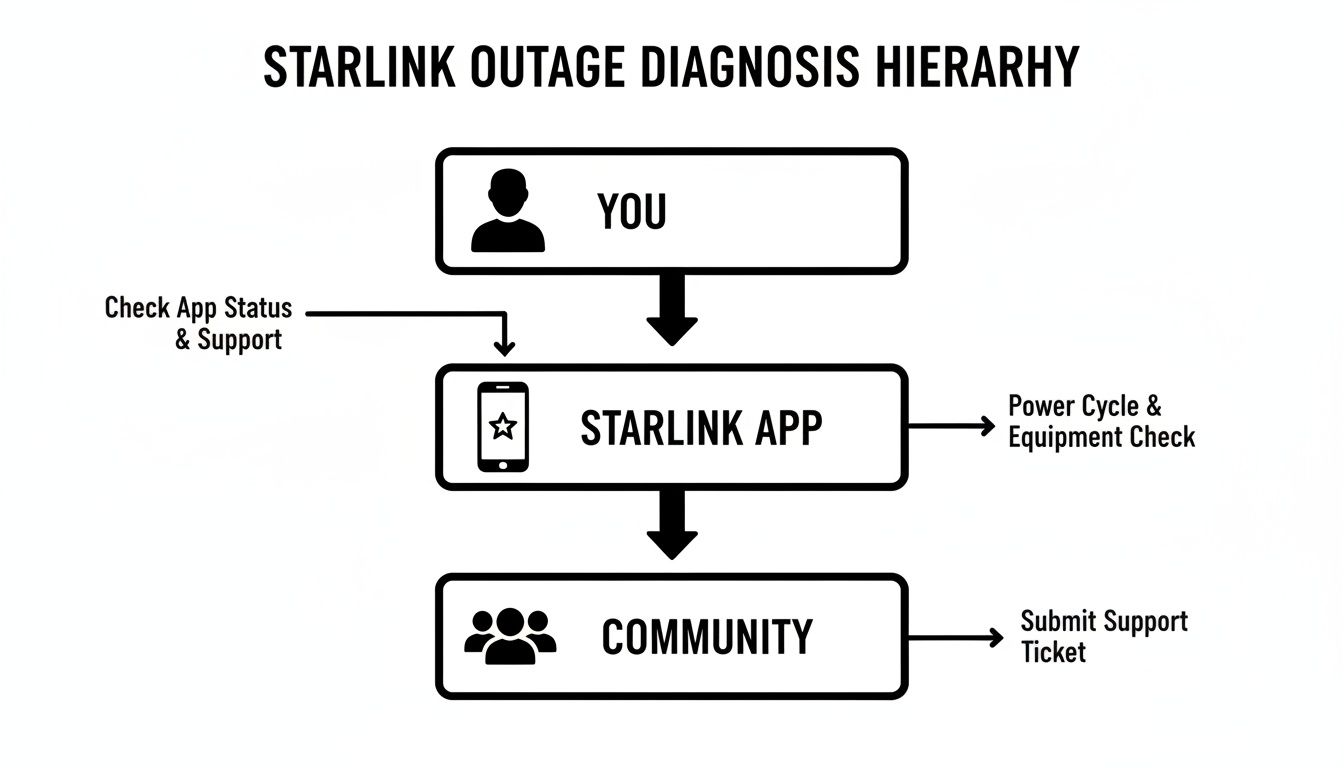
It walks you through simple checks, from looking at your app to checking with the wider user community, so you can quickly see if the issue is just yours or a widespread Starlink outage.
Communication Redundancy Options for NZ Businesses
Having a backup plan is non-negotiable, but the right solution depends entirely on your specific needs. The table below compares some of the most common backup communication tools to help you decide which mix is right for maintaining your operations during a Starlink outage.
| Communication Tool | Primary Use Case | Key Advantage | Limitation |
|---|---|---|---|
| Cellular/4G Fallback | Internet backup for offices and sites with mobile reception. | Automatic, seamless switchover for continuous internet access. | Relies on mobile tower availability; useless in black spots. |
| Two-Way Radios | Instant, reliable voice comms for teams on-site (e.g., construction, agriculture). | Independent of cellular/internet networks; rugged and immediate. | Limited to voice/short data; range is geographically restricted. |
| Satellite Phones | Critical voice and text communication from anywhere, especially remote areas. | Global coverage; works when all other networks are down. | Expensive call rates; not suitable for general internet use. |
| Personal Locator Beacons (PLBs) | Lone worker safety and SOS distress signals in emergencies. | Dedicated global rescue network; simple, life-saving activation. | One-way emergency signal only; no general communication function. |
Ultimately, the best strategy often involves a combination of these tools. A construction firm might use cellular fallback for their site office, two-way radios for on-the-ground coordination, and PLBs for their remote surveyors. This layered approach ensures every vulnerability is covered.
Assessing Your Unique Needs
Not every business needs the same setup. The right mix of technology boils down to your specific operational risks and where you work. You need to ask yourself some hard questions.
Do you have teams in remote areas with zero mobile reception? A satellite phone is a MUST-HAVE, not a maybe. Is your crew spread across a large construction site? The best uhf radio NZ has to offer will be your most reliable tool for coordinating everyone instantly.
The rapid uptake of Starlink in New Zealand has also brought its own set of challenges. A University of Melbourne study pointed out that performance can drop off with as few as seven customers per 2.5 square kilometres—a critical fact for businesses in crowded rural areas. This is exactly why savvy contractors don't just rely on Starlink; they blend it with other robust alternatives to avoid downtime that can cripple a day's work.
For any business that can't afford to be offline, putting a formal strategy in place is crucial. For a deeper dive, this guide to business continuity planning steps is an excellent resource. A solid plan means you’re ready for anything.
Finally, a truly resilient strategy must include Personal Locator Beacons (PLBs) from brands like McMurdo for lone worker safety. These devices operate on a separate satellite network dedicated solely to rescue, providing that final layer of protection when all other communication fails. To pull all these pieces together properly, it's worth reviewing a professional business continuity plan template to make sure you haven't missed any gaps in your setup.
Essential Backup Communication Devices for NZ
Relying solely on Starlink, especially in New Zealand's tough environments, is a big operational risk. When a Starlink outage in NZ hits, you need a solid, independent layer of communication ready to take over in an instant. This means investing in specialist hardware built for reliability when everything else fails—the kind of gear you simply won't find in a large department store.
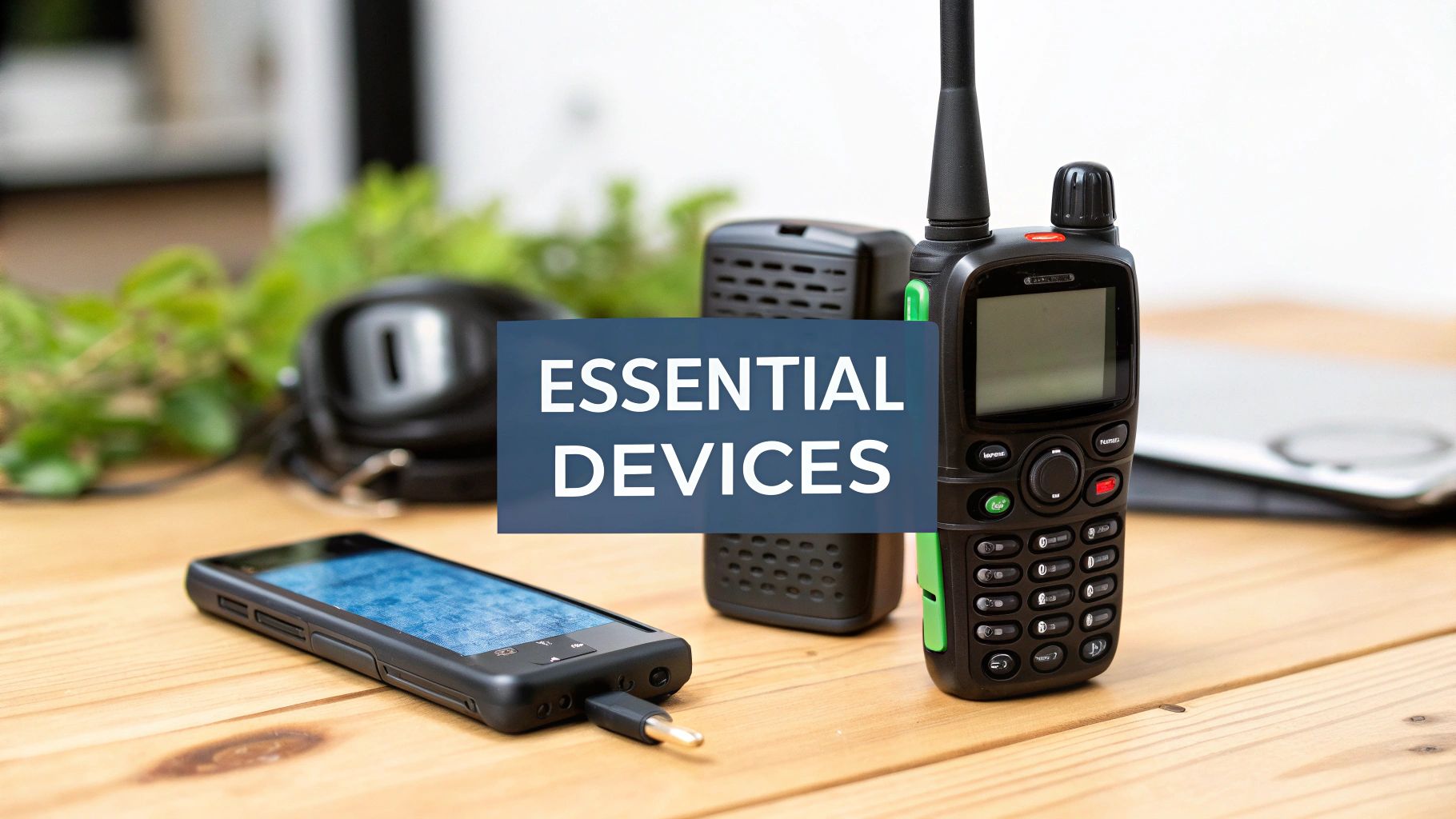
The foundation of any serious backup plan is purpose-built, commercial-grade equipment. It's crucial to get these devices from a specialist supplier who can provide the expert advice, licencing, programming, and ongoing support you'll need to make sure your gear is both compliant and fit for the job.
On-Site and Vehicle Communications
When it comes to coordinating teams on a construction site, farm, or forestry block, nothing beats the rugged dependability of professional two-way radios. These devices work completely independently of cellular and internet networks, giving you clear, instant voice comms.
-
UHF/VHF Two-Way Radios: Brands like Tait, Hytera, and Motorola are the gold standard here. They offer durable handheld walkie talkies NZ crews can count on, as well as powerful vehicle-mounted units for base-to-field communication. These radios are built to handle dust, water, and hard knocks, making them a perfect fit for Kiwi work sites.
-
CB Radio NZ Setups: For vehicle convoys, especially in transport and logistics, a reliable cb radio nz setup is still an invaluable tool for direct, real-time chat between drivers.
Maritime Safety and Communication
For any operation out on the water, having dedicated marine communication isn't just a good idea—it's a NON-NEGOTIABLE safety requirement. Starlink is fantastic for crew welfare and data, but it's no replacement for proper marine safety equipment.
- VHF Marine Radios: A quality vhf marine radio from trusted names like Uniden or GME is essential for talking vessel-to-vessel and ship-to-shore. The best handheld vhf marine radio nz conditions call for will be waterproof, float, and have access to all the necessary maritime channels for both routine chatter and emergencies.
While Starlink boasts impressive stats like 25.7ms median peak-hour latency in the US, New Zealand users during the July 24 outage saw a stark reality check: full disconnection for 2.5 hours. In NZ's demanding environments—think stormy seas for fishing or dusty sites for roading—such stats scream for backups. Clients in manufacturing and port logistics trust expert installs for hybrid setups, pairing Starlink with Hytera portables for unbeatable uptime. Discover more insights from Starlink's own network updates.
Ultimate Off-Grid and Emergency Solutions
When you're truly off the grid and beyond the reach of any terrestrial network, satellite technology is the ultimate lifeline. But this means having devices that run on different, dedicated networks from your main internet service.
-
Satellite Phones: A satellite phone from a provider like Iridium or Inmarsat gives you the power to make a call or send a text from quite literally anywhere on the planet. For businesses with staff in extremely remote locations, this is a critical piece of safety kit. To get a better handle on your options, have a look at our NZ buyer's guide to satellite devices.
-
Personal Locator Beacons (PLBs): For lone worker safety, a PLB is the final, most crucial layer of protection you can have. Devices from specialists like McMurdo or Oceansignal operate on the global Cospas-Sarsat satellite system, which is dedicated solely to detecting and locating distress signals. Activating a PLB sends an SOS with your GPS coordinates directly to rescue authorities—a feature that can genuinely save a life.
Choosing the right mix of these devices creates a layered defence. It ensures that a Starlink outage is merely an inconvenience, not a disaster that brings your operations to a grinding halt.
Partnering with a Communications Specialist
Picking the right backup tech is a great start, but it's really only half the job. To make sure you're truly covered during a Starlink outage in NZ, the real magic is in the correct setup, programming, and ongoing care. A DIY approach can look good on paper, but it often leaves you with hidden gaps in your setup—the kind you only discover when it's too late.
This is where bringing a specialist communications provider on board really shows its value. An expert partner doesn't just sell you a box; they deliver a complete, integrated solution that’s built to handle the pressures of your world, whether you’re on the water, on a construction site, or deep in the bush.
More Than Just a Box
When you work with a specialist like Mobile Systems, you’re making sure every part of your comms strategy is robust, compliant, and actually right for your needs. It gives you access to the crucial services that are so easy to miss when you're going it alone.
Why Choose Mobile Systems as your communications partner?
It all kicks off with a proper needs analysis. An expert will sit down and get to grips with your unique challenges—maybe you're coordinating a construction crew, managing a vessel, or looking out for lone workers in a remote forest. This deep dive makes sure the final solution is a cohesive system, not just a pile of gadgets.
From there, the key services really kick in:
- Custom Solution Design: We can design a multi-layered plan that might blend a Cel-Fi Go booster for cellular fallback with a professional UHF radio NZ system, giving you guaranteed voice comms on-site no matter what.
- Complex Licencing and Programming: Getting your head around radio channel licencing and programming uhf channels nz takes specialist knowledge. We handle all that, ensuring your system is both legal and free from interference.
- Professional Installation: Our experts handle installations for vehicles and fixed sites, making sure antennas are placed perfectly and all the gear is wired for top performance and durability. It’s a world away from just plugging something in and hoping for the best.
A partnership with a communications expert is an investment in operational certainty. It turns your backup plan from a hopeful "what if" into a reliable "when this happens" strategy, ensuring you can carry on seamlessly when a Starlink outage hits.
Ongoing Support and Flexible Options
The relationship doesn't just stop once the gear is installed. One of the biggest perks of working with a specialist is having access to proper maintenance and support. We can do regular checks and servicing to make sure all your equipment, from a Tait radio to an Iridium satellite phone, is running at 100% for when you need it most.
And if you’re running short-term projects or have seasonal needs, our flexible hire options are a smart way to get professional-grade equipment without the big upfront cost. You can hire walkie talkies, satellite phones, or even Personal Locator Beacons for exactly as long as you need them.
At the end of the day, the message is pretty clear. While a DIY approach might seem cheaper at first, it often just gives you a false sense of security. Partnering with a communications specialist ensures your entire network is compliant, tough, and fully supported—giving you the peace of mind to keep your operation running, no matter what.
Starlink Outage FAQs: Your Questions Answered
When you're relying on satellite internet out in the field, you're bound to have questions about what happens when the connection disappears. Here are some straightforward answers to the most common queries we get about Starlink outages in NZ and how you can prepare for them.
How Do I Check if Starlink is Down in My Part of NZ?
First things first, check the official Starlink app on your phone. Starlink is usually pretty quick to post alerts about known network issues right there.
If the app isn't showing any problems with your gear, your next stop should be an independent site like Downdetector New Zealand. These platforms work by tracking real-time problem reports from users. If you see a sudden spike in reports, it’s a dead giveaway that you're caught in a wider regional or even global Starlink outage. It’s a fast way to know if the problem is just you or something much bigger.
Will Heavy Rain or Snow Really Cause a Starlink Outage?
Yes, it can. Extremely heavy downpours, thick snow, or even hail can get in the way of the signal travelling between your dish and the satellites. It's a well-known issue for all satellite services, often called 'rain fade'.
The Starlink dish does have a built-in heater to melt snow and ice, which is a big help. But in a severe storm, you can still expect some brief, frustrating dropouts. It’s worth remembering, though, that the really big, widespread outages are more often caused by things like software updates gone wrong or problems with the ground network, not just the weather. A solid backup like a professional UHF radio or a reliable satellite phone is completely immune to this kind of atmospheric hassle.
What's the Best Communication Backup for a Rural NZ Business?
There's no single "best" backup—it really comes down to what your business does and where you do it. The smartest approach is always a layered one.
-
For keeping your team in touch across a specific site, like a construction project, farm, or vineyard, a professional walkie talkie NZ system is tough to beat for instant, reliable comms.
-
If you need to communicate beyond the line of sight or in seriously remote backcountry, a satellite phone nz service is your ultimate safety net.
-
Many businesses we work with find a hybrid setup works best. They might use a Cel-Fi booster to make the most of any available mobile coverage, backed up by the best two way radios for on-site work and a Personal Locator Beacon for any lone workers' emergency kits.
Can I Run My Business Entirely on Starlink?
Starlink is a fantastic bit of kit for getting fast internet to remote locations, but putting all your eggs in one basket is always a risk, especially for business-critical operations. The big global outages have proven that no single system is ever 100% foolproof.
For any business where communication is crucial for safety, logistics, or making money, a backup system isn't just a nice-to-have—it's a FUNDAMENTAL part of a solid business continuity plan.
By combining Starlink with a cellular fallback, the best uhf radio NZ can provide, and maybe some emergency satellite gear, you build a truly resilient operation. This multi-layered strategy means a Starlink outage becomes a minor hiccup instead of a full-blown crisis.
At Mobile Systems Limited, our expertise is in designing and setting up these kinds of robust, layered communication strategies to keep your business running, no matter what. From professional two-way radio networks to satellite phones and cellular boosters, we have the experience and the hardware to give you true operational resilience. Explore our full range of solutions at https://mobilesystems.nz.
Related posts

- July 08, 2026
Communication Systems That Keep Small Mistakes SMALL Small mistakes will always happen. Someone mishears an instruction. A radio battery runs...

- July 03, 2026
A radio bolted in badly is worse than no radio at all. Here's how fleet communication system installation is actually...

- July 01, 2026
These days, practically everyone walks around with a smartphone in their pocket. They're built to do just about everything. But...